Features
Everything a shop counter needs — and a POS that helps you sell more
Every POS rings up sales. Memo also shows you what’s working, what’s coming up and what needs a second look.
Memo POS features in detail
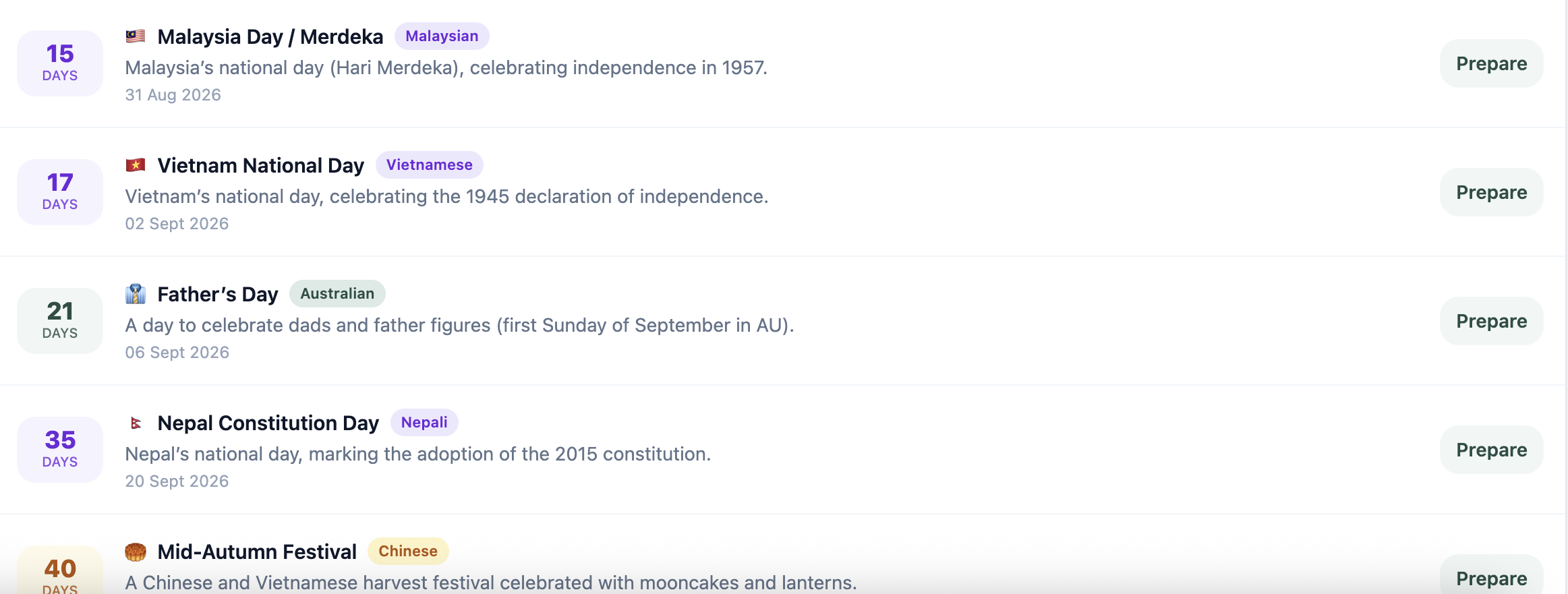
Reminders for Diwali, Ramadan, Lunar New Year — every occasion your customers celebrate
Ramadan, Diwali, Lunar New Year, EOFY, the long-weekend rush — Memo watches the calendar across every community you serve and brings each occasion to you early, with a ready-made plan to tweak and launch. Walk in stocked, not scrambling.
- Tracks the dates that matter — every culture
- A ready-made prep plan you can tweak and launch
- Built from what actually sold last year
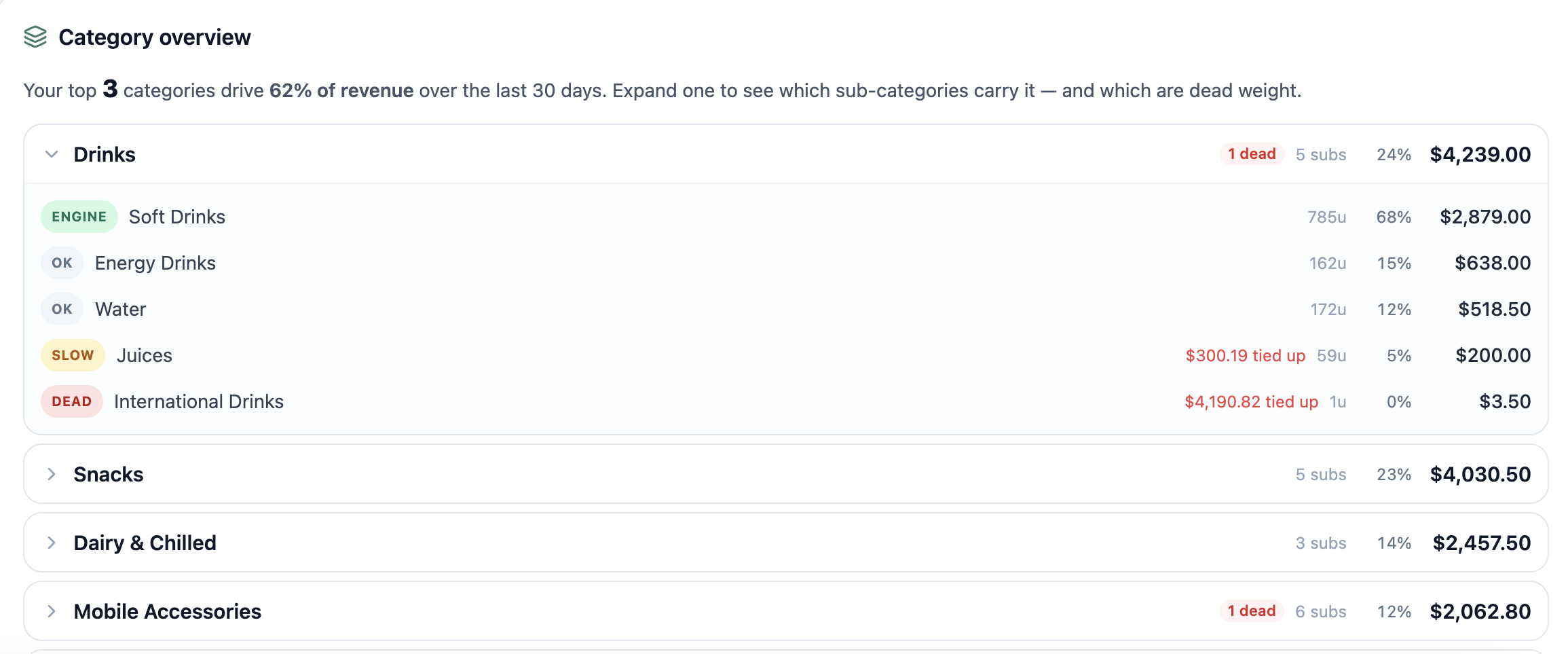
See what's hidden in your numbers
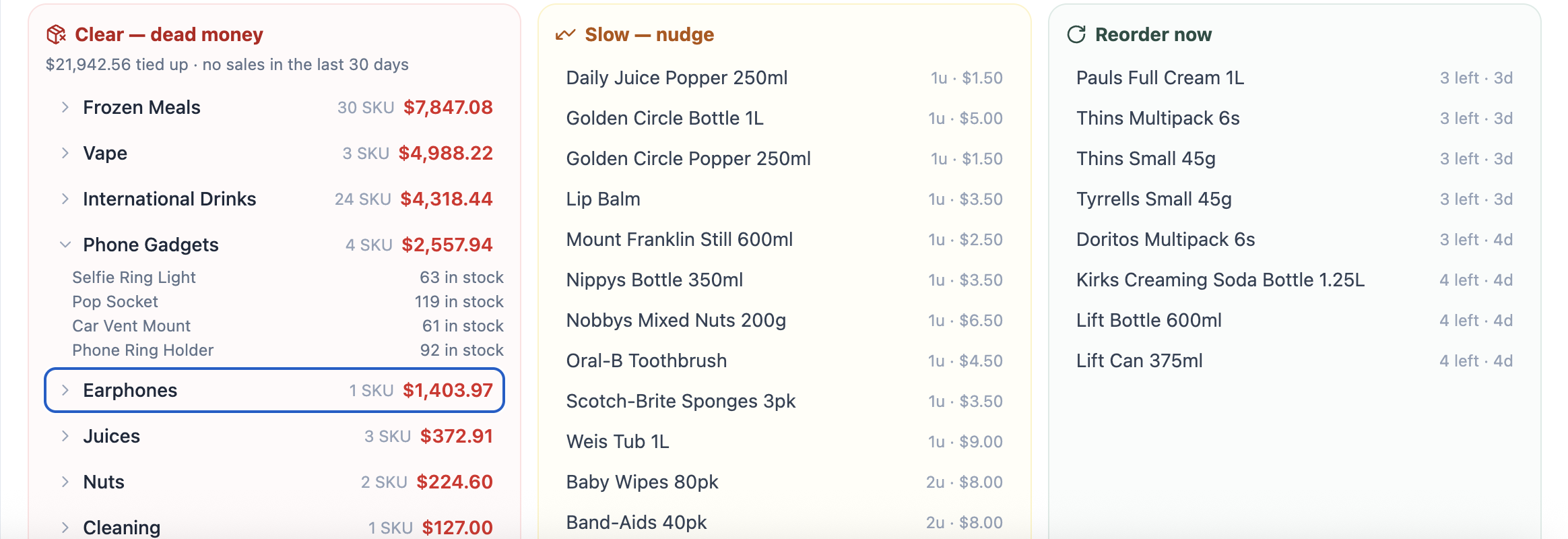
Memo shows you the lines driving your profit — and flags the dead stock quietly tying up your cash, aisle by aisle. Clear, plain-English 'clear this, reorder that' calls instead of spreadsheets you'll never open.
- Your true bestsellers, ranked by category
- Dead-stock alerts before it costs you
- Reorder nudges the moment stock runs low
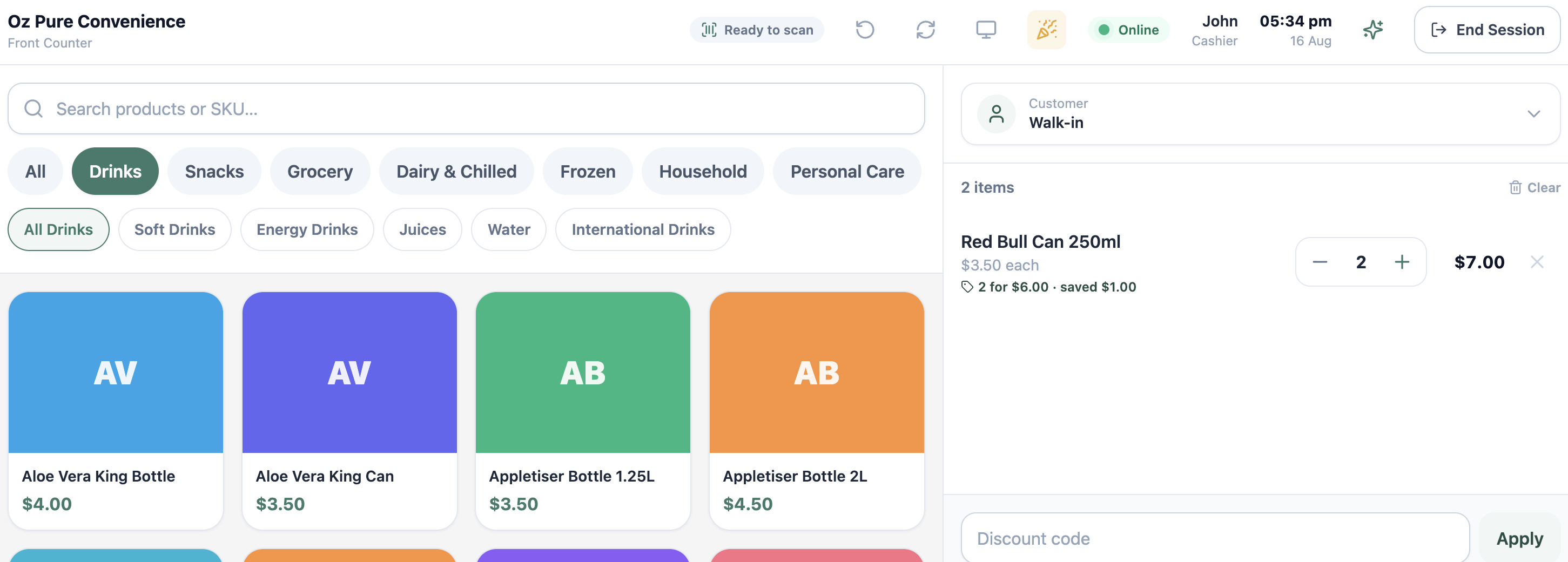
A real till that keeps the queue moving
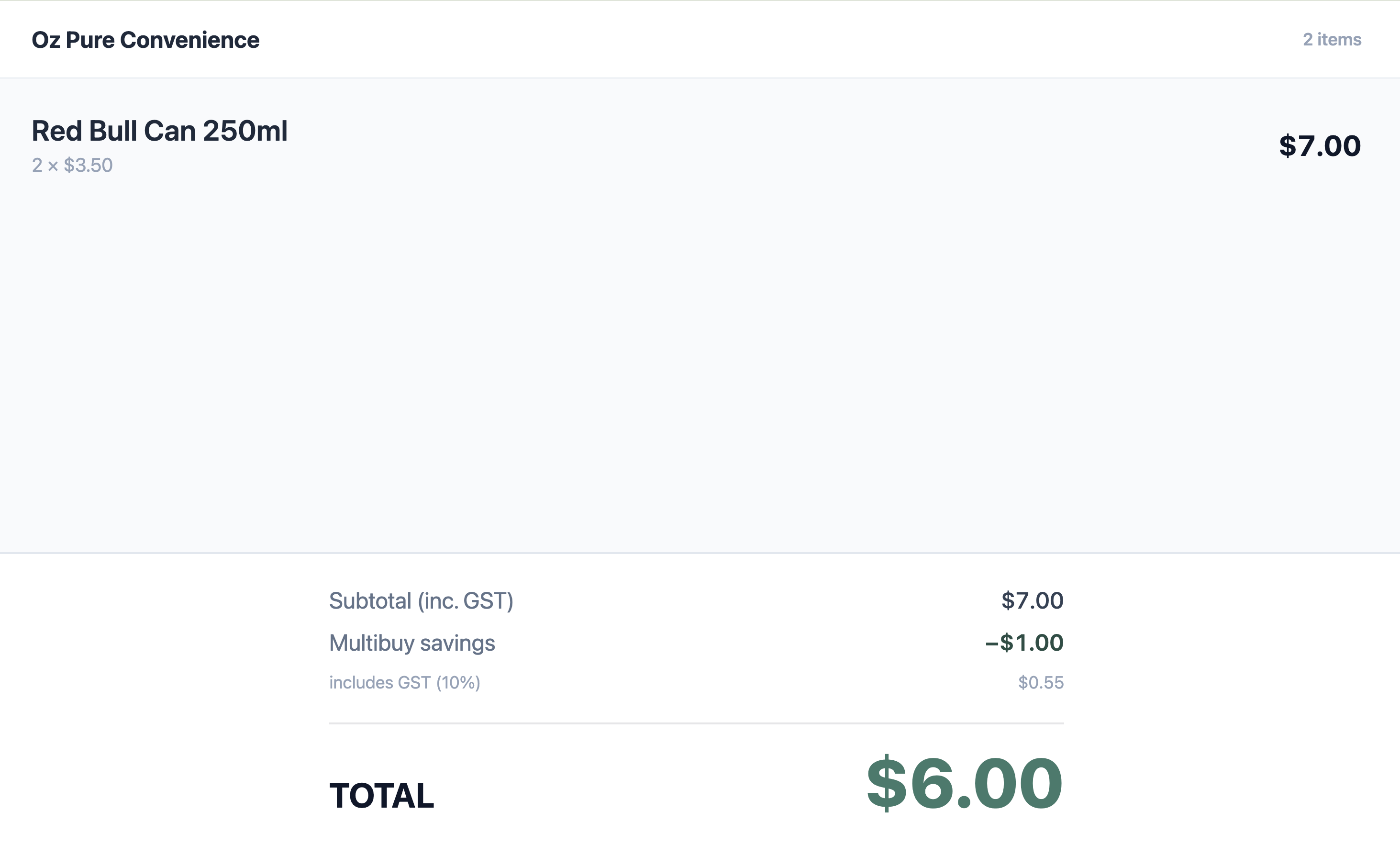
Scan, tap, done. Multibuys and specials apply themselves, the customer display shows the deal as it happens, and it all keeps working when the wifi drops. Fast enough for a Friday-night rush.
- Multibuys & specials applied automatically
- Customer-facing display, built in
- Keeps selling offline — syncs when you’re back
Marketing images made for you
Pick a product, pick an occasion, and Memo generates an on-brand social post — image and caption — in a single click. No designer, no Canva, no blank-page panic. Just download and post.
- On-brand every time — your colours, your logo
- Captions written for you
- Ready for Instagram, Facebook & more
Creative Studio
1 clickLong Weekend
Ice-cold 6-pack · $12
🧊 Long weekend sorted. Ice-cold tinnies, snacks and everything you forgot — grab & go before the rush. #shoplocal
Handles your whole catalogue
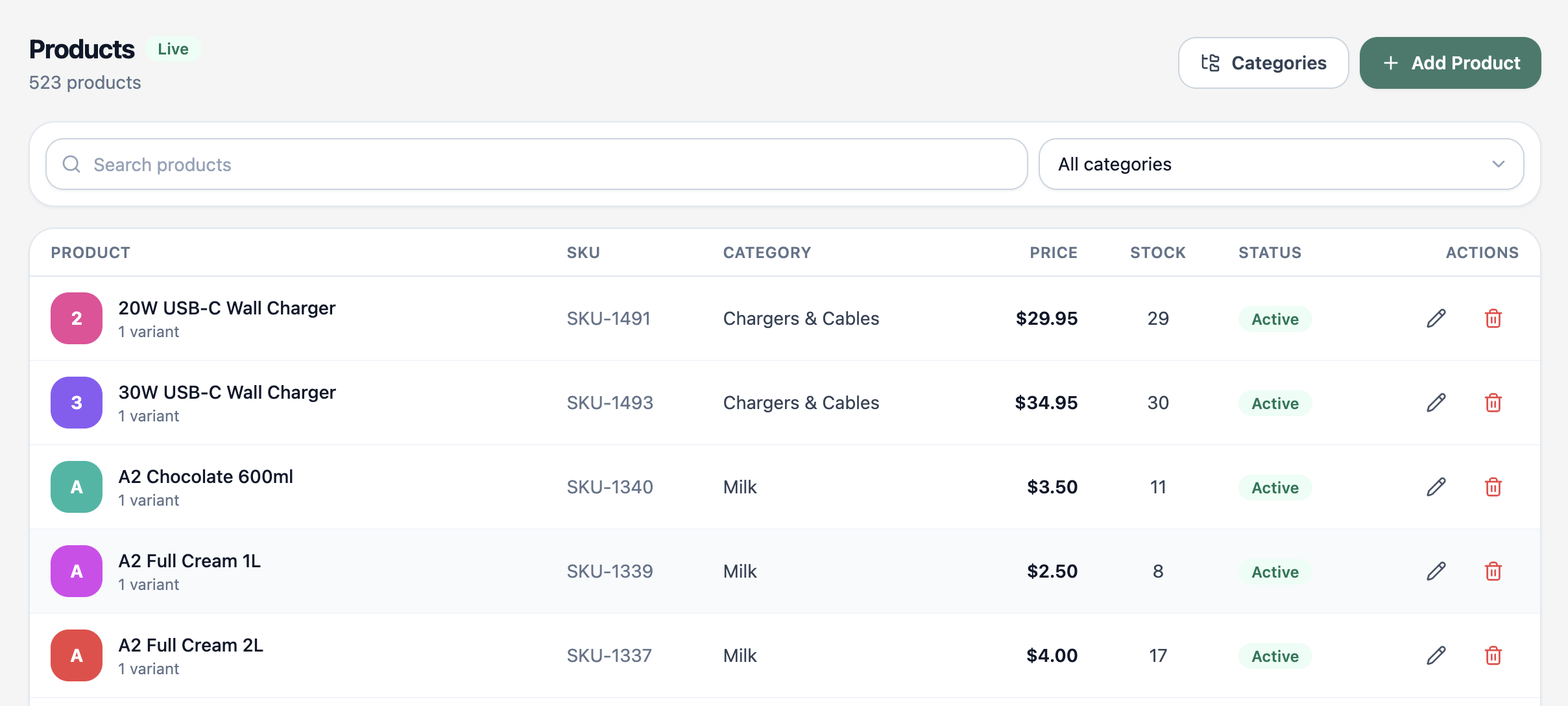
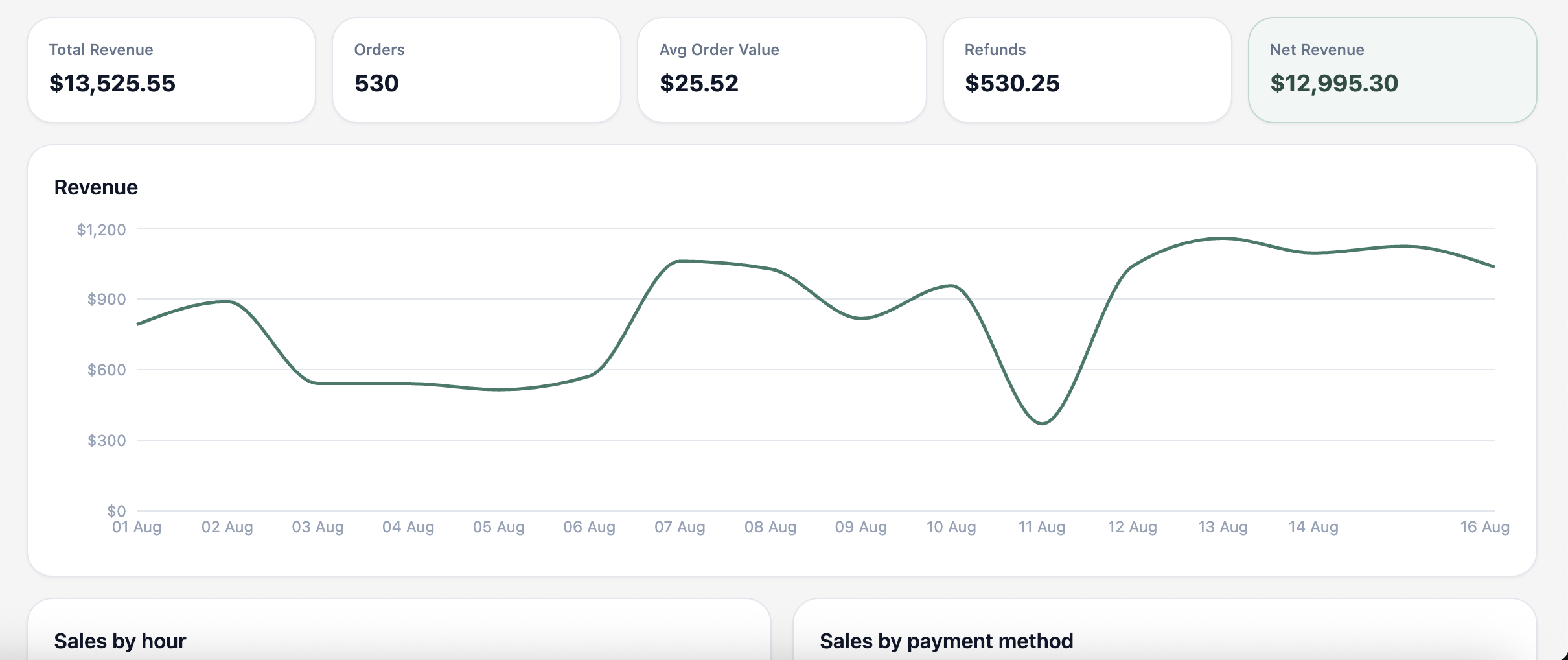
Hundreds of lines, one search box, live stock on every SKU — Memo stays fast whether you carry 50 products or 5,000. Barcode in, ring out, and always know what's on the shelf.
- Live stock on every SKU
- One fast search box
- Stays quick as you grow
Everything a real till needs.
Not just the clever bits — the everyday essentials shopkeepers actually run on, done right. And never a cut of your sales.
Multiple tills
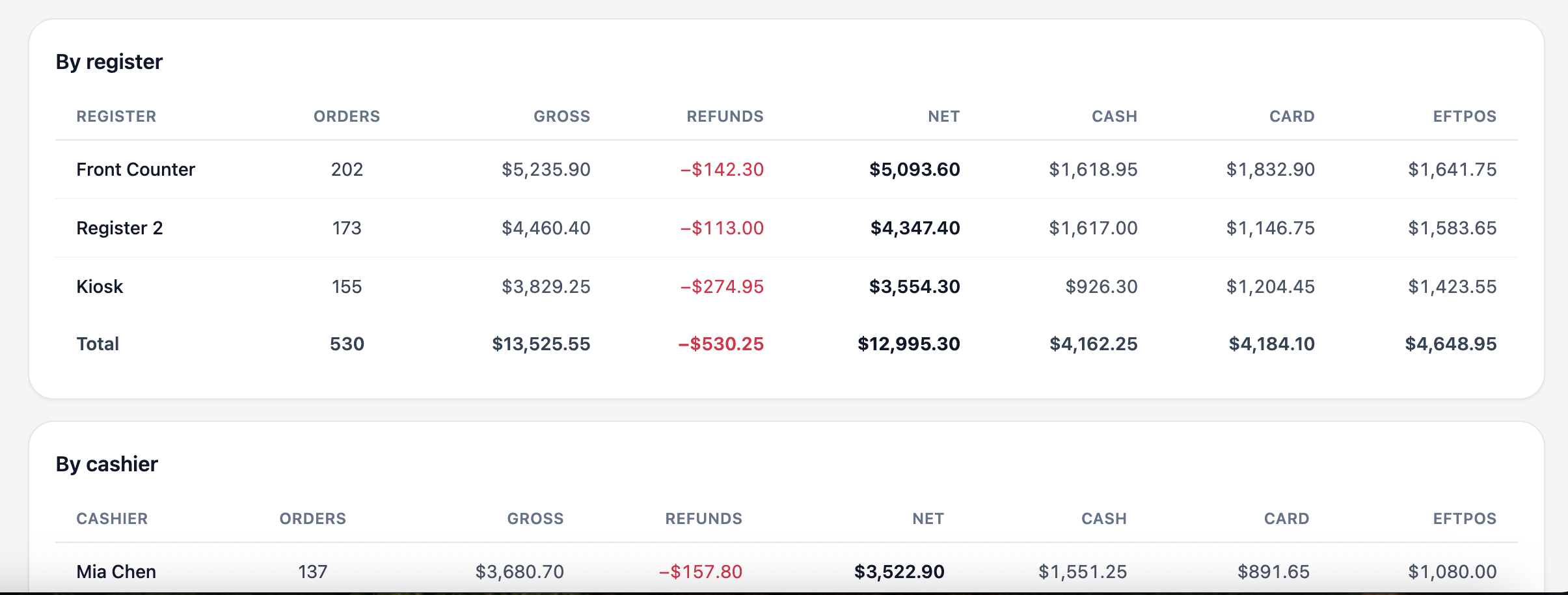
Per-register & per-cashier end-of-day reconciliation
Sell by weight
For delis, butchers & greengrocers
Works offline
Keep selling when the wifi drops
Multi-location
Run every store from one login
Refunds done right
At the till, into your end-of-day
GST tax-invoice receipts
Your logo, ABN & GST
No sales cut
One flat fee — 0% of your sales
24/7 AI help
A built-in assistant, any time
…plus barcode scanning, a customer-facing display, live inventory and customer profiles.
The real thing
Screens from inside Memo
Not mock-ups — this is the product.
Modern POS is expensive. Old POS is stuck in the past. Memo is neither.
The new players take a cut of every sale. The legacy systems can't even leave the back counter. Memo gives you everything they don't — for one flat price.
Monthly cost
Takes a % of your sales
Works on any device (phone / tablet / desktop)
Works offline
Cloud sync & remote access
AI marketing & social posts
Occasion reminders & ready-made plans
Multicultural occasions
80/20 insights & dead-stock alerts
Automatic updates & new features
Helps you grow (not just record sales)
A % fee punishes growth — the more you sell, the more they take. At $20k/month in sales, a 1.6% in-person processing fee is roughly $3,840 a year. Memo's flat plan is a fraction of that — and it doesn't rise when you have a big month. (Illustrative.)
Modern POS systems like Square are full payment processors — their 1.6–2.2% is the all-in fee on every sale. Memo isn't a payment processor: you bring your own card terminal (e.g. Zeller, Tyro or your bank, typically ~1–1.5%) and Memo never takes a cent of your sales. You pay one flat monthly price — so unlike a % fee, your cost doesn't grow as you sell more. Competitor pricing and features are indicative, based on publicly listed AU plans, and may change.
Moving to Memo is straightforward.
Bring your products, customers and stock across in minutes — using CSV, the format every POS already exports. No re-typing your whole catalogue, no lost data.
Export from your current POS
Most systems let you download your products and customers as a CSV file — usually under settings or reports.
Drop it into our template
Download Memo’s template so the columns line up, then paste your data in. Spreadsheet skills are all you need.
Upload and review
Memo checks every row and shows you what’s ready — and flags anything to fix — before a single thing is saved.
Confirm, and you’re in
Hit import and Memo saves it all in one go. Products and customers come across; stock levels go the same way.
And your data is always yours — export it from Memo whenever you like.
Most shops are up and running the same day. If you’d like a hand moving across, just ask — we’re happy to help.
Start your free trialReady to grow? Start your free 14-day trial.
Set up in minutes. Sell today, and let Memo handle what comes next — the reminders, the marketing, the insights.
No credit cardNo contractCancel anytime